Affiliate Disclosure: This post contains affiliate links. If you purchase through these links, Survival Place Blog may earn a commission at no additional cost to you. As an Amazon Associate I earn from qualifying purchases.
When a major storm knocks out electricity, cell service becomes unreliable, or an evacuation warning is issued, communication can quickly become one of your household’s biggest concerns. You need to know what’s happening, whether your family members are safe, and what steps to take next.
A reliable emergency communications plan helps answer those questions before a disaster occurs. It doesn’t require complicated equipment or an expensive collection of electronics. It requires dependable sources of information, a few practical backup tools, and clear instructions everyone in your household understands.
This guide walks you through building a communication plan that works for everyday emergencies and larger disruptions, including situations when phones, internet connections, or electrical power are unavailable.
For a broader introduction to household preparedness, begin with our guide, Start Here: Your 72-Hour Preparedness Plan.
1. Why Every Household Needs an Emergency Communications Plan
Most people depend on their smartphones for nearly everything: contacting relatives, receiving weather alerts, checking road conditions, and finding directions.
That convenience becomes a vulnerability when normal services are interrupted.
During a disaster, you may encounter:
- Cellular networks overwhelmed by heavy demand.
- Damaged communication towers or network equipment.
- Extended power outages affecting charging and internet access.
- Family members separated at work, school, or other locations.
- Conflicting information about road closures, shelters, or evacuation orders.
- Limited ability to contact emergency services.
Not every emergency causes a complete communication failure. However, even a partial disruption can make coordinating your household difficult.
A good plan provides alternatives instead of depending on one device or service.
The objective is straightforward: receive reliable information, communicate your status, and reunite safely when necessary.
2. Identify Your Most Reliable Emergency Information Sources
Before deciding how to contact family members, determine where you’ll obtain trustworthy emergency information.
Rumors can spread quickly during major events, especially through social media. Decisions about sheltering, evacuating, or traveling should be based on verified information whenever possible.
Local Emergency Alerts
Start by identifying the official alert systems available in your area.
Depending on where you live, these may include:
- Wireless Emergency Alerts delivered to compatible mobile phones.
- Local government emergency notification systems.
- County or city emergency management alerts.
- National Weather Service watches and warnings.
- Emergency Alert System broadcasts through radio and television.
Some local systems require registration, while others deliver alerts automatically to compatible devices.
Check your city or county emergency management website to learn which services are available and whether you need to enroll.
The Federal Emergency Management Agency provides additional guidance on receiving warnings and preparing your household through Ready.gov.
Know Which Sources to Trust
During a developing emergency, prioritize information from official agencies responsible for the situation.
Examples include local emergency management offices, the National Weather Service, transportation departments, and public safety agencies.
Use social media as a supplementary information source, not your only source.
If an evacuation order or protective action is issued, follow the instructions of the responsible local authorities.
3. Keep an Emergency Radio Available
A smartphone is useful, but it should not be your only method of receiving emergency information.
A battery-powered emergency radio can provide an important alternative when household electricity or internet service is unavailable.
AM/FM Emergency Radios
An AM/FM radio allows you to listen to local broadcasters that may provide emergency updates, road information, and community announcements.
Look for a portable model with:
- Clear reception in your area.
- Simple controls.
- A reliable battery compartment.
- Reasonable battery life.
- A durable design suitable for emergency storage.
Test local stations before an emergency. Reception varies by location, and not every broadcaster will carry continuous emergency coverage.
NOAA Weather Radios
A NOAA Weather Radio receiver is particularly useful for receiving official weather information and certain other emergency messages.
Unlike ordinary AM/FM broadcasts, NOAA Weather Radio uses dedicated frequencies and requires a compatible receiver.
Some models can sound an alert when specific warnings are issued. Models with Specific Area Message Encoding, commonly called SAME, can be programmed for designated geographic areas.
For information about broadcasts, receiver capabilities, and local coverage, consult the National Weather Service’s NOAA Weather Radio guidance.
Battery-Powered vs. Hand-Crank Radios
Both types can be useful, but their limitations differ.
Battery-powered radios are often straightforward and dependable when you maintain an adequate supply of compatible batteries.
Hand-crank radios provide an additional charging method that can be helpful when replacement batteries or electricity are unavailable.
Some emergency radios also include solar charging, flashlights, or limited USB charging capabilities.
These features can be convenient, but they should not replace dependable primary power sources. Hand-crank charging can require considerable effort, and small solar panels may charge slowly.
When choosing an emergency radio, prioritize reception quality, battery reliability, and ease of operation over a long list of extra features.
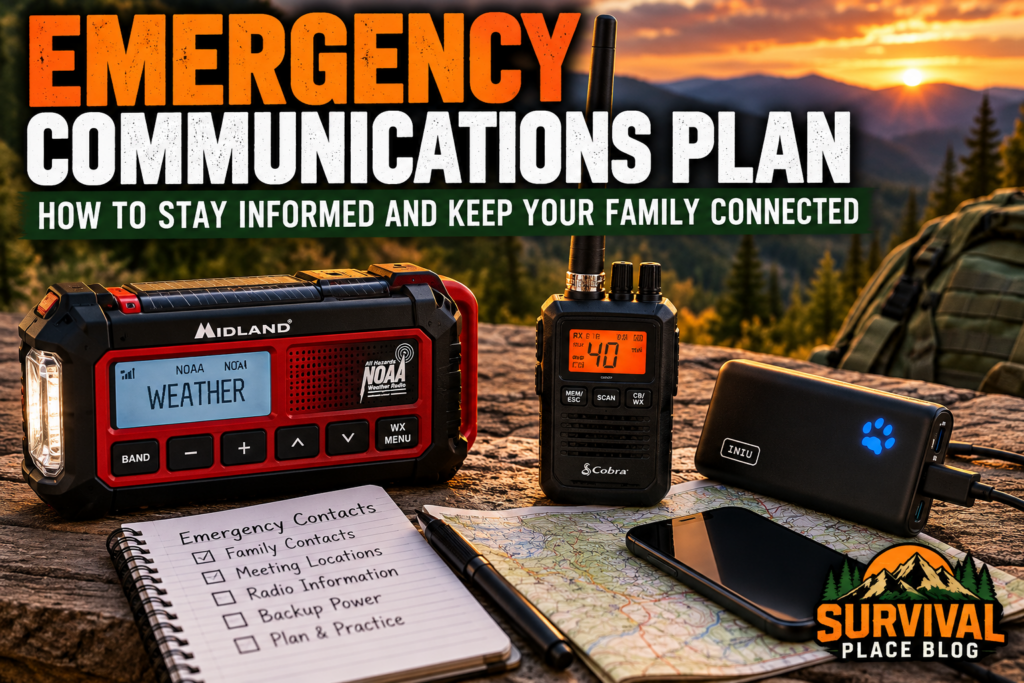
One option worth considering is the Midland ER310 Emergency Crank Weather AM/FM Radio. It combines AM/FM reception, NOAA weather alerts, multiple charging options, and a built-in flashlight in a portable unit. For households preparing for power outages or severe weather, it provides several useful emergency features in one device.
4. Prepare Your Cell Phone for Power and Network Outages
Your phone will probably remain your most familiar communication tool during an emergency.
The goal is to make it useful for as long as possible.
Keep Backup Charging Options
Consider maintaining several charging methods:
- A fully charged portable power bank.
- A compatible vehicle charging adapter.
- Charging cables stored with emergency supplies.
- A second power bank for households with multiple devices.
- An appropriate backup power source for essential communication equipment.
Check that charging cables fit your devices and that backup batteries are charged.
Power banks gradually lose charge while stored, so inspect and recharge them according to manufacturer recommendations.
Store lithium-ion batteries away from excessive heat, moisture, and physical damage. Do not use damaged or swollen battery packs.
A practical option for backup phone charging is the INIU 10,000mAh 45W Fast Charging Portable Charger. Its compact design, rechargeable battery, and USB-C charging capability make it useful for keeping compatible phones and other small devices powered during outages or evacuations. Charge and test it regularly so it’s ready when needed.
Reduce Battery Consumption
When charging opportunities are limited:
- Enable your phone’s battery-saving mode.
- Lower screen brightness.
- Close unnecessary applications.
- Disable features you are not using.
- Avoid repeated video streaming or unnecessary downloads.
- Use airplane mode when appropriate, but remember that it prevents normal cellular calls, texts, and alerts while enabled.
If you are expecting emergency notifications or need to remain reachable, balance battery conservation with the need to maintain a connection.
Download Important Information in Advance
Before an emergency, consider saving:
- Offline maps of your local area.
- Important addresses.
- Emergency contact information.
- Evacuation routes.
- Relevant medical or accessibility information.
- Copies of important documents stored securely.
Offline information remains useful even when internet service is unavailable.
For a broader look at managing an extended electrical disruption, see our guide, 48 Hours Without Power.
5. Create a Written Household Emergency Contact List
One of the simplest preparedness steps is also one of the most valuable: write down important phone numbers.
Many people no longer memorize contact information because their phones store everything.
If a phone is lost, damaged, or discharged, those numbers may be inaccessible.
Information to Include
Your emergency contact list should contain:
- Names and phone numbers of household members.
- An out-of-area emergency contact.
- Trusted neighbors or nearby relatives.
- School and childcare contact information.
- Workplace emergency numbers.
- Medical providers and pharmacies.
- Important service providers, where relevant.
- Local emergency management information.
- Household meeting locations.
Include full addresses when they would help someone reach a destination.
Keep personal information limited to what is necessary and protect copies from unauthorized access.
Where to Store Copies
Consider keeping copies:
- In your household emergency binder.
- In each adult’s wallet or emergency bag.
- In a child’s backpack when age-appropriate.
- With your evacuation supplies.
- In a secure digital location accessible offline.
Review the list whenever phone numbers, schools, workplaces, or household circumstances change.
A written list is inexpensive, requires no electricity, and can prevent considerable confusion.
6. Choose an Out-of-Area Emergency Contact
During a regional disaster, contacting someone outside the affected area may sometimes be easier than reaching another person nearby.
Choose a trusted friend or relative who lives far enough away that they are less likely to experience the same disruption.
Ask that person whether they are willing to serve as your household’s central contact.
How the System Works
Suppose a severe storm affects your community while household members are in different locations.
Instead of everyone repeatedly attempting to contact each other, each person tries to send an update to the designated out-of-area contact.
That person can help share information about everyone’s status and location.
Agree on a simple message format:
Name — Location — Status — Next Action
For example:
Alex — At work — Safe — Staying inside until roads reopen.
Keep messages brief and specific.
Choose a secondary out-of-area contact in case the first person cannot be reached.
Remember that this system depends on at least one working communication method. It is not a substitute for meeting-location and shelter plans.
7. Establish Household Meeting Locations
Communication equipment can fail completely.
That is why every emergency communications plan should include agreed-upon meeting locations.
Choose locations appropriate to different circumstances.
Meeting Location 1: Near Your Home
Identify a safe, recognizable place outside your residence where household members can gather during a localized emergency.
Examples might include a designated neighbor’s property or another nearby location away from immediate hazards.
Do not select a place that would require crossing dangerous roads, floodwater, or other hazards.
Meeting Location 2: Within Your Community
Choose a second location for situations when returning home is unsafe or impossible.
It might be a relative’s home, a community facility, or another agreed-upon destination.
Make sure everyone understands the address and how to reach it safely.
Meeting Location 3: Outside the Immediate Area
For larger evacuations, identify a destination beyond the affected community.
This could be a trusted relative’s residence or another appropriate location.
Discuss possible routes, transportation limitations, and alternatives.
Agree on the Rules
A meeting plan should answer:
- Which location should we use first?
- What if that location is unsafe?
- When should we move to the next location?
- Who is responsible for children or anyone needing assistance?
- What should someone do if they cannot travel?
- How will we communicate a change of plans?
Never travel into a dangerous area simply to reach a predetermined meeting point. Immediate safety and official emergency instructions take priority.
8. Know What to Do When Phone Calls Fail
A failed phone call does not necessarily mean every communication option has stopped working.
Different services can fail or recover at different times.
Try Text Messaging
When networks are congested, a short text message may sometimes succeed even when a voice call cannot connect.
Keep messages brief and avoid sending large attachments unless necessary.
A useful message includes your location, safety status, and intended next action.
Do not assume a message was delivered unless you receive reliable confirmation.
Avoid Repeated Unnecessary Calls
Repeated calling can drain batteries and contribute to network congestion.
If a call does not connect, consider sending a short text and trying again later.
For an immediate threat to life or safety, attempt to contact emergency services using available methods. Text-to-911 is available only in supported areas, so learn your local capabilities beforehand.
Understand the Limits of Alternative Devices
Some households consider two-way radios, satellite messengers, or other specialized devices.
These may be useful in certain circumstances, but they are not automatic replacements for ordinary telephone service.
Two-way radios have practical range limitations affected by terrain, buildings, equipment, and applicable radio rules.
For households interested in an additional communication option, the Cobra HHRT50 Road Trip CB Radio provides access to 40 CB channels and NOAA weather alerts. It may be useful for coordinating with other CB radio users when cellular service is unavailable, particularly during travel or evacuation. However, its effective range depends on terrain, antenna placement, and surrounding conditions, so it should be tested beforehand rather than relied upon as a primary emergency communication method.
Satellite communication devices may require subscriptions, suitable outdoor conditions, and compatible services.
Only invest in additional equipment after identifying a realistic need and learning how to use it properly.
9. Build a Backup Plan for Complete Communication Failure
A more serious emergency may leave you unable to call, text, or receive online updates.
Your household should know what to do without waiting indefinitely for a working phone.
Create a simple decision plan based on the situation.
If You Are Safely at Home
- Remain in a safe location unless conditions or official instructions require you to leave.
- Use your emergency radio to obtain updates when reception is available.
- Conserve available power.
- Follow your household’s agreed check-in and meeting procedures.
- Avoid unnecessary travel.
If You Are Away From Home
- Move away from immediate hazards.
- Follow workplace, school, or local emergency instructions.
- Attempt to communicate when safe and practical.
- Use your predetermined meeting plan only when travel is safe.
- Do not assume other household members have received your messages.
If You Must Evacuate
Take your written contact list, charging equipment, emergency radio, and other essential supplies when time and circumstances permit.
Tell your out-of-area contact your destination if communication is available.
If the destination changes, send an updated message when possible.
Your evacuation arrangements should be developed separately from your communication plan so that routes, transportation, and essential supplies are addressed in enough detail.
For a more detailed look at evacuation routes, essential supplies, and deciding when to leave, see our guide, Bugging Out: How to Build an Emergency Evacuation Plan.
10. Include Children, Older Adults, and Household Members With Special Needs
A communication plan is only effective if everyone who depends on it can understand and use it.
Different household members may need different arrangements.
Children
Teach children age-appropriate information, including:
- Their full name and important contact information.
- Which trusted adults they can approach for help.
- Where they should go during an emergency.
- How to contact the designated family emergency contact.
- Why they should follow school or caregiver emergency procedures.
Coordinate with schools and childcare providers so your household plan does not conflict with their emergency arrangements.
Older Adults and People With Disabilities
Consider whether someone needs:
- Large-print contact lists.
- Accessible communication devices.
- Visual, audible, or vibrating alerts.
- Assistance with transportation.
- Backup power for essential equipment.
- A designated support person who knows the plan.
If someone relies on powered medical or communication equipment, develop a specific backup arrangement suited to that equipment and the person’s needs.
Pets and Service Animals
Include animal-friendly meeting locations and evacuation destinations where necessary.
Keep veterinary contact information with other emergency records.
The goal is not to make everyone follow identical instructions. It is to ensure that each person has a practical way to receive information and obtain help.
11. Assemble a Household Emergency Communications Kit
Your communications kit does not need to be large or complicated.
It should contain the equipment and information necessary to support your plan.
Recommended Supplies
- Battery-powered AM/FM or NOAA Weather Radio receiver.
- Spare batteries appropriate for the radio.
- Charged portable power bank.
- Compatible phone charging cables.
- Vehicle charging adapter, if useful.
- Printed household contact list.
- Written meeting locations and addresses.
- Local emergency information sources.
- Flashlight or headlamp for using equipment in darkness.
- Waterproof pouch or protective folder for documents.
- Pen and small notebook.
Optional items may include a second radio, additional backup power, or specialized communication equipment for households with a demonstrated need.
Avoid purchasing equipment that you have not tested or do not understand.
The most useful emergency kit is one you can operate confidently.
For a more detailed look at building your household emergency supplies, check out our guide, Emergency Preparedness Shopping List: What to Buy at Grocery & Warehouse Stores.
12. Practice Your Emergency Communications Plan
Writing a plan is an important first step. Practicing it reveals problems that might otherwise remain unnoticed.
A useful household exercise can take less than an hour.
Exercise 1: Contact List Check
Ask each household member to locate their emergency contact information without searching online.
Confirm that phone numbers and addresses are current.
Exercise 2: Radio Reception Test
Turn on your emergency radio.
Find a reliable local broadcast or NOAA Weather Radio station.
Confirm that you can hear the broadcast clearly and operate the radio using its backup power source.
If the radio has alert programming, verify that its settings are appropriate for your location.
Exercise 3: Backup Charging Test
Connect your power bank to your phone using the cables stored in your emergency kit.
Confirm that charging begins normally.
This simple test can reveal missing adapters, damaged cables, or discharged batteries.
Exercise 4: Household Check-In Drill
Practice sending a short status message to your designated contact.
Review the message format and make sure everyone understands what information matters.
Exercise 5: No-Phone Scenario
Imagine that cellular service and internet access are unavailable.
Ask each person:
- Where would you obtain emergency information?
- What would you do if you were at work or school?
- Which meeting location would apply?
- What would you do if travel were unsafe?
- Who would help anyone requiring assistance?
Discuss the answers together and revise unclear instructions.
Practice at least annually and whenever important household circumstances change.
13. Common Emergency Communication Mistakes
Even households with emergency supplies can overlook basic communication problems.
Depending Entirely on Smartphones
A phone is valuable, but batteries, networks, and internet connections can fail.
Maintain at least one independent way to receive emergency information where practical.
Buying a Radio Without Testing It
A radio that has never been tuned, programmed, or tested may be difficult to use when needed.
Learn its controls and confirm reception in advance.
Forgetting Written Contact Information
If important numbers exist only inside a phone, losing access to that device can create unnecessary problems.
Keep updated paper copies.
Choosing Meeting Locations Without Clear Instructions
A destination alone is not enough.
Everyone needs to know when to use it, how to reach it, and what to do if conditions make travel unsafe.
Failing to Include Household Members
Plans often overlook children, older adults, people with disabilities, or individuals who are away from home during the day.
Include everyone who depends on the plan.
Never Practicing
Equipment and written instructions can create a false sense of readiness when no one knows how to use them.
A short practice session often provides more value than purchasing another device.
14. Emergency Communications Plan Checklist
Use this checklist to review your household’s readiness.
Emergency Information
- Identify local emergency alert services.
- Register for applicable local notifications.
- Identify trustworthy local news and emergency information sources.
- Test an emergency radio.
- Confirm radio batteries and backup power are available.
Phones and Backup Power
- Charge and test a portable power bank.
- Store compatible charging cables.
- Prepare an alternative charging method.
- Save essential maps and information for offline access.
Household Contacts
- Create a written emergency contact list.
- Choose a primary out-of-area contact.
- Choose a backup contact.
- Share contact information with household members.
- Store copies in appropriate emergency bags.
Meeting and Reunification
- Select a safe meeting location near home.
- Select a community meeting location.
- Identify an out-of-area destination.
- Establish plans for children and anyone requiring assistance.
- Review evacuation and transportation arrangements.
Practice and Maintenance
- Practice sending a household status message.
- Test radio reception and alert settings.
- Test backup phone charging.
- Review what to do during a complete communication failure.
- Update the plan at least annually.
Print this two-page checklist to organize your household’s emergency contacts, backup communication equipment, meeting locations, and practice exercises.
15. Final Thoughts: Communication Is a Preparedness Skill
An effective emergency communications plan is not defined by how many radios, batteries, or electronic devices you own.
It is defined by whether your household knows how to receive trustworthy information, share important updates, and make safe decisions when ordinary communication methods are disrupted.
Start with the basics: identify your local alert systems, prepare a reliable radio, keep backup charging available, write down essential contacts, and establish meeting locations.
Then practice.
A simple plan that everyone understands is more valuable than complicated equipment no one knows how to operate.
By preparing before an emergency, you give your household a better chance of staying informed, avoiding confusion, and reconnecting safely when it matters most.